
AI SVG Generator
Text to editable SVG vector art — icons, logos, and illustrations you can scale for web, print, and design tools.
Ready to create? Try AI SVG Generator.
Text to Editable SVG Vector Art
Create clean, scalable SVG files from a short prompt. Download true vector output for websites, Cricut-ready crafts, favicons, and brand marks — without raster blur.
Example SVG outputs
Clean editable vectors — the kind of icons you can drop into a site, app, or Cricut project.

Line leaf icon
Prompt: minimal line art leaf icon, single outline, transparent background
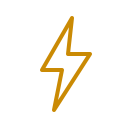
Bolt icon
Prompt: minimal lightning bolt line icon, bold stroke, transparent background

Home icon
Prompt: minimal house line icon for UI navigation, clean outline

Favicon mark
Prompt: tiny favicon, high contrast mark, simple shape for browser tab
Live generation is temporarily unavailable. You can still try prompts and settings.
Text-to-image mode
Related tools
- AI GIF Generator — native loop animations
- AI Vector Logo Maker — logo-focused SVG workflow
- Guide: AI SVG generator from text
FAQ
What is SVG vector file?
SVG is scalable vector graphic. It will not blur when zooming, suitable for logos, icons, print and website UI.
Can I edit the SVG after download?
Yes, output SVG files are editable in Figma, Adobe Illustrator, Inkscape and browser.
Can I generate GIF from reference image?
Yes — open the AI GIF Generator, describe motion in the prompt, and download a loop-ready GIF. Reference images work best with PNG/JPG output; for GIF, describe the style in text.